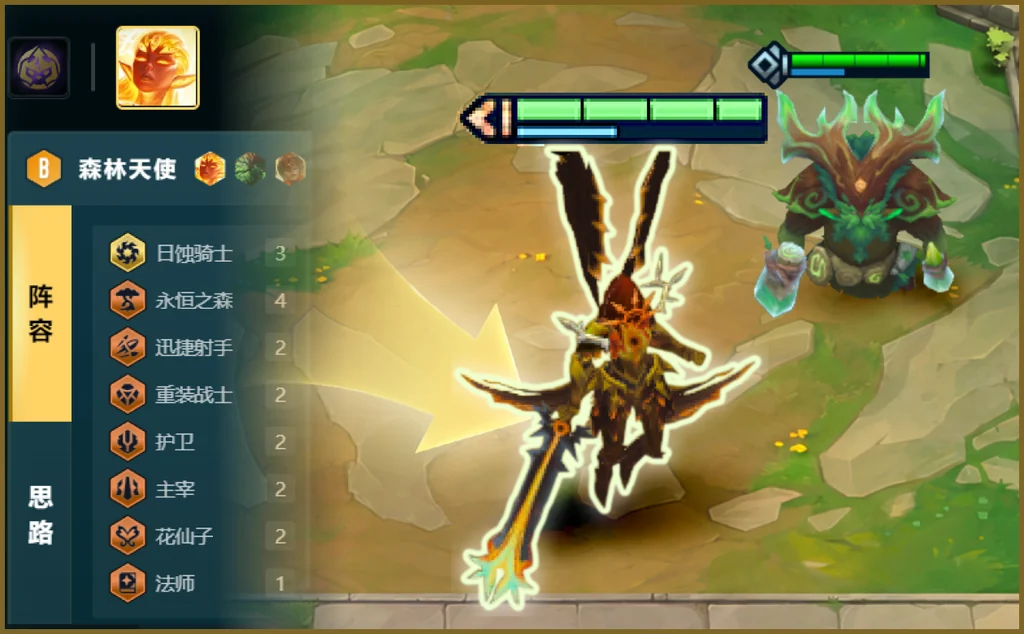
Read the board, recommend comps live
Recognize the live board and current tempo, then push high-fit, high-win comps you can actually climb with.

Reads the board in-game and suggests comps, items and augments live. No tabbing out. Check the tier list and popular comps before the lobby.
How to use
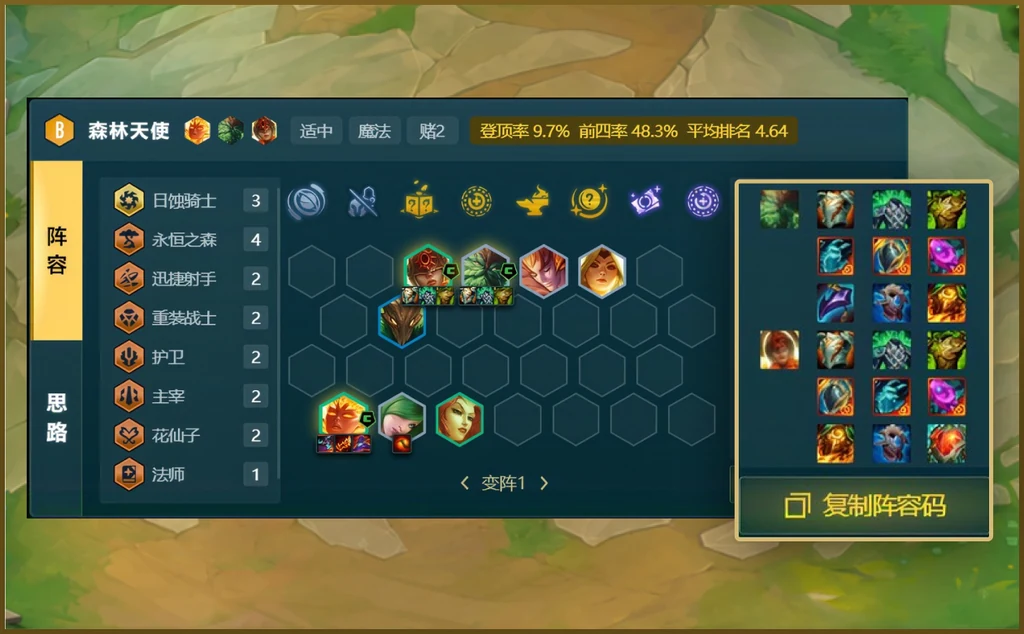
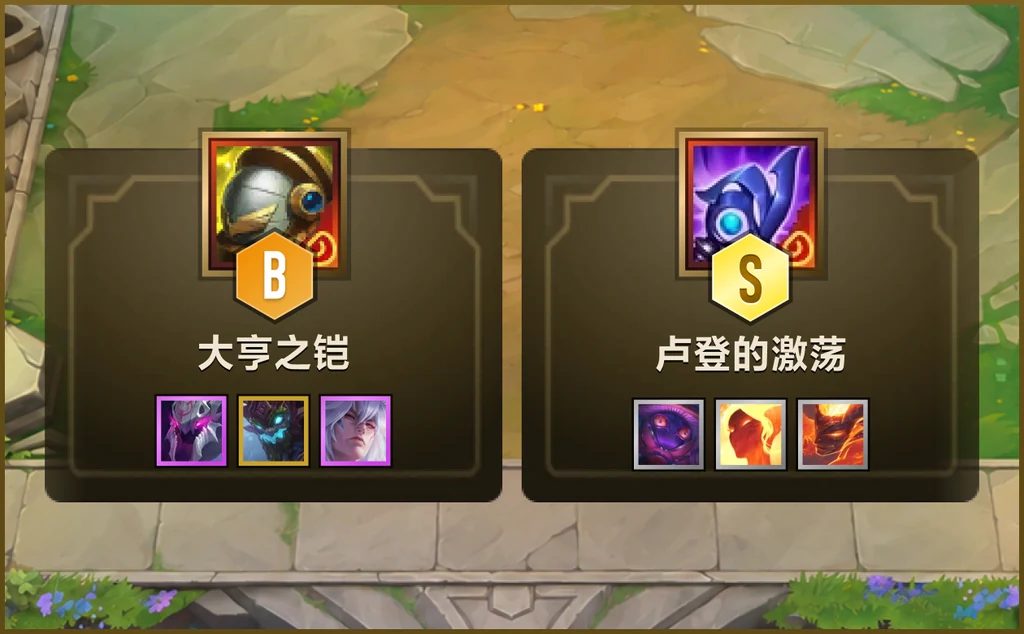
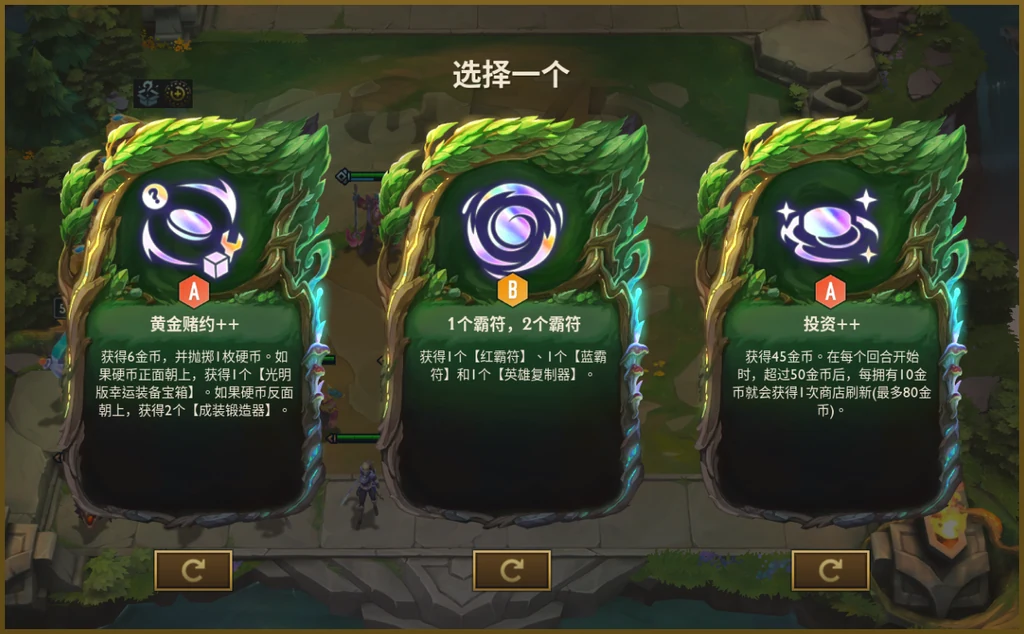
Recognize the live board and current tempo, then push high-fit, high-win comps you can actually climb with.
Stage-by-stage lines plus item plans, so you stabilize HP and convert into a win.
Every Ornn artifact scored on live power and fit, so you grab the one that actually wins fights.
Each augment broken down by live strength, so you pick cleanly and skip traps.
Popular Huya TFT streamers run this live. High-elo players recommend it because it actually helps you climb.

Copied from the tier list. Start with S-tier, then decide what to pivot into.
Average placement, core units and items are already on the card. No extra tool hop.
 ★★
 ★★


 ★★★
 ★★
 ★★

 ★★★
★★★
S-tier augments and items sit on the homepage, so you hesitate one round less.
 S
 S
 S
 S
 S
 S
 S
 S
 S
 S
 S
 S
 S
 S
 S
 S
Compare placement swings versus last patch. Train the ones climbing fastest.

Place 4.12 · Pick 16.5%

Place 4.08 · Pick 12.1%

Place 4.17 · Pick 25.4%

Place 4.21 · Pick 9.4%

Place 3.79 · Pick 22.8%

Place 4.26 · Pick 24.5%

Place 4.30 · Pick 29.5%

Place 4.45 · Pick 6.1%
Assistant data follows the live patch. Only notes that change comps and augments stay here.
Comp tier list, popular comps, augments and items now come from each live tool. Top nav no longer leaves the page.
Placement and pick-rate deltas follow live trend data, so you can see who is rising or falling.
Comps, augments and items live in one site. After this game you do not have to search again.
Xiaolin No All-Nighter“Open on S-tier comps. No extra tab to search a board.”
Abei_“Popular comps already show cores and items. Copying is fast.”
Iced Soda Less Sugar“Augment ratings follow the patch, so first games feel safer.”
Taro Balls No Ice“Trends show who is rising. I know what to pivot into.”
7zai Not Qizai“Top nav stays on this site. It never dumps me onto another tool.”
South Wind Passing“Ornn artifacts and augments sit together. One less round of panic.”
Old Zhang Wants LP“Avg place and top 4 are on the card. Direction in a few seconds.”
Insomnia Store“In-game the assistant reads the board. The web hub is for lobby homework.”
_Xiaozhou“The grade wall is scannable. Drill S and A first.”
Dingdingdang“Item ratings beat memorizing recipes. Follow the build order.”
Xiaoman“Strong comps are already on the homepage. No extra click.”
Leave Blue to Me“The swing board vs last patch. If it is falling, skip it this game.”
Five Minutes Late“Star cores, swap flex. The card writes that clearly.”
Month Thirteen“Set 17 data is current. No leftover patch bait.”
Keep the Night Wind“When teammates ping ready, I glance the rating and skip ten guides.”
Camellia Bloom“The why-text is short, but I know why the board climbs.”
Orange Sea“Off-meta units are fine. Check the trend before picking them up.”
Less Cream Top“Wrong augments used to scare me. At least there is a strength read now.”
Sleep Early Tomorrow“Tool pages only keep the important bits. It looks clean.”
Blank Nickname“After a few days the obvious change is fewer tab hops.”
Install, in-game recs and patch data.
The client currently supports Windows 10 / 11. The web hub works on desktop and mobile browsers for comps, ratings and trends.
Install the Huya client, open TFT Assistant, then enter a TFT game. It reads the board and suggests comps, items and augments.
Board reading, comp recs, lines and items, Ornn artifacts and augment strength. The web hub also has the tier list, popular comps, ratings and trends.
No. The client overlays recs in-game. Use the web hub before the lobby. Top nav stays on the same site.
Yes. Comp tiers, popular comps, augment / item ratings and trends sync with the current patch.
Confirm the assistant is running and online, then re-enter the game. Restart the client if it still fails. The web hub still has the tier list and popular comps.
Comps are graded S / A / B / C / D. Find the carry and key items first, then expand the full board. This patch, start with S-tier Space Groove comps.
Check average placement, top 4 rate and core units. Star and item the cores first. Flex slots swap with HP and shop luck.
Start with S / A in the rating. Prefer spikes that complete the board, frontline or carry. Skip cold D-tier unless the comp is locked to it.
Placement change and pick rate. Better placement plus more play means the unit is rising. The reverse means leave it this game.
Join the group and help us make the TFT assistant better.
QQ group: 1124418143 
















Gambling on Xia while chasing Ornn has the upper limit of artifacts
Open: A large number of system cardsCan be defeated to grab equipment first, Xia Ghost Rope's Berserk Blade is a must. The number of 3-1d cards can be directly chased out of Samsung, and the number of Verus can also be chased at the same time
After at least double three, you can increase the population and open Gao Yongsen at the same time to open 2 Infernos to avoid serious injuries.
If the population is high and there is Yongsen Lux, you can open 7 Yongsen

扫描下载虎牙APP

扫描关注微信公众号


 粤公网安备44011302000433
